


Grid linesGrid lines
Evoqins - Blog

Software development5 mins read

E-Commerce Website Development Using Strapi CMS

Published on: Jun 2, 2026

blog cover image
Table of contents
IntroductionWhat is Strapi?Strapi and the concept of headless CMSWhy Strapi is a good fit for e-commerce development?Setting up Strapi for an e-commerce websiteIntegrating Strapi with frontend and backendManaging content and products with StrapiEnhancing e-commerce functionality with pluginsDeploying your e-commerce websiteConclusionFrequently asked questions
Share this article:

Introduction

Ecommerce is no longer just a trend — it's a necessity. Whether you're a startup launching your first product line or an established retailer expanding your digital presence, building a reliable, scalable, and user-friendly e-commerce website is critical to success.

At the core of any successful e-commerce platform lies a powerful Content Management System (CMS). The CMS acts as the control center, helping you manage everything from product listings to promotional banners without needing to touch a single line of code. This becomes even more important as your inventory grows, your team expands, and your customer expectations rise.

Traditionally, many businesses have relied on monolithic platforms like WordPress or Magento. While these platforms offer robust features, they can be limiting in terms of customization, speed, and frontend flexibility—especially when you want to offer a tailored user experience across multiple devices.

This is where Strapi, a headless CMS, shines.

Strapi offers a modern, API-first approach to content management, enabling developers and marketers alike to manage content dynamically while giving frontend developers complete freedom to build in their language or framework of choice. Whether you're using React, Next.js, Vue.js, or any other modern frontend stack, Strapi makes integration seamless.

For e-commerce, this flexibility is a game-changer. You can connect your store to any frontend, integrate with third-party services, and scale effortlessly—all while maintaining centralized control over your content and product catalog.

In this comprehensive guide, we’ll walk you through everything you need to know about using Strapi to build a modern e-commerce website—from setup and integration to content management, plugins, and deployment.

What is Strapi?

What is Strapi

Strapi is an open-source, Node.js-based headless CMS that gives developers full control over content structuring and delivery. Unlike traditional CMS platforms that tightly couple the backend with the frontend, Strapi is headless meaning it decouples the content management layer from the presentation layer. This allows developers to manage and deliver content through APIs while building frontend interfaces using any technology stack.

Strapi and the concept of headless CMS

Strapi is an open-source headless Content Management System (CMS) that gives developers full control over content and backend logic. Unlike traditional CMS platforms that bundle the frontend and backend together, a headless CMS like Strapi focuses only on content delivery via APIs. This means your content is stored and managed in one place but can be used across multiple platforms—websites, mobile apps, even smart devices—without being tied to a specific frontend.

Strapi allows you to create custom content types, manage roles and permissions, and expose your data through REST or GraphQL APIs. It’s flexible, developer-friendly, and designed for projects that need speed and customization.

Why Strapi is a good fit for e-commerce development?

When building an e-commerce platform, flexibility, speed, and scalability are non-negotiable. Strapi offers all three while keeping your development workflow clean and efficient. Here’s why it stands out:
- Custom content structure: Strapi allows you to design your content models exactly the way your business needs. You’re not limited to predefined product schemas create custom fields for SKUs, variants, pricing tiers, stock levels, or even promotional tags. It adapts to your e-commerce logic, not the other way around.
- API-first by design: Every piece of content you create in Strapi is instantly available through REST or GraphQL APIs. That makes it easy to connect your backend with any frontend React, Next.js, Vue, mobile apps, or even IoT devices. You build once, use anywhere.
- Role-based access control: E-commerce businesses often require different user roles admins, managers, vendors, customers. Strapi’s built-in user permissions system lets you define exactly who can read, write, or manage content. It’s secure, scalable, and customizable.
- Developer-friendly and open source: Strapi is built with Node.js and is fully open source. Developers can extend it with custom plugins, middleware, and services. You can integrate external tools like payment gateways, inventory systems, CRMs, or shipping providers with ease.
- Fast time to market: With an intuitive admin panel and ready-to-use content features, Strapi speeds up development cycles. This means your MVP or full-fledged e-commerce site gets to market faster without sacrificing control or quality.
- Great for omnichannel commerce: Want your product catalog to appear on your website, mobile app, and third-party marketplaces? Strapi makes it seamless. Its headless setup ensures that your content can be repurposed across multiple touchpoints from a single source.

Setting up Strapi for an e-commerce website

Getting started with Strapi for your e-commerce project is straightforward, even for development teams new to headless CMS systems. In this section, we’ll guide you through installing Strapi, configuring it for an online store, and setting up the essential content types and user roles your business needs.

Setting up strapi for e-commerce website

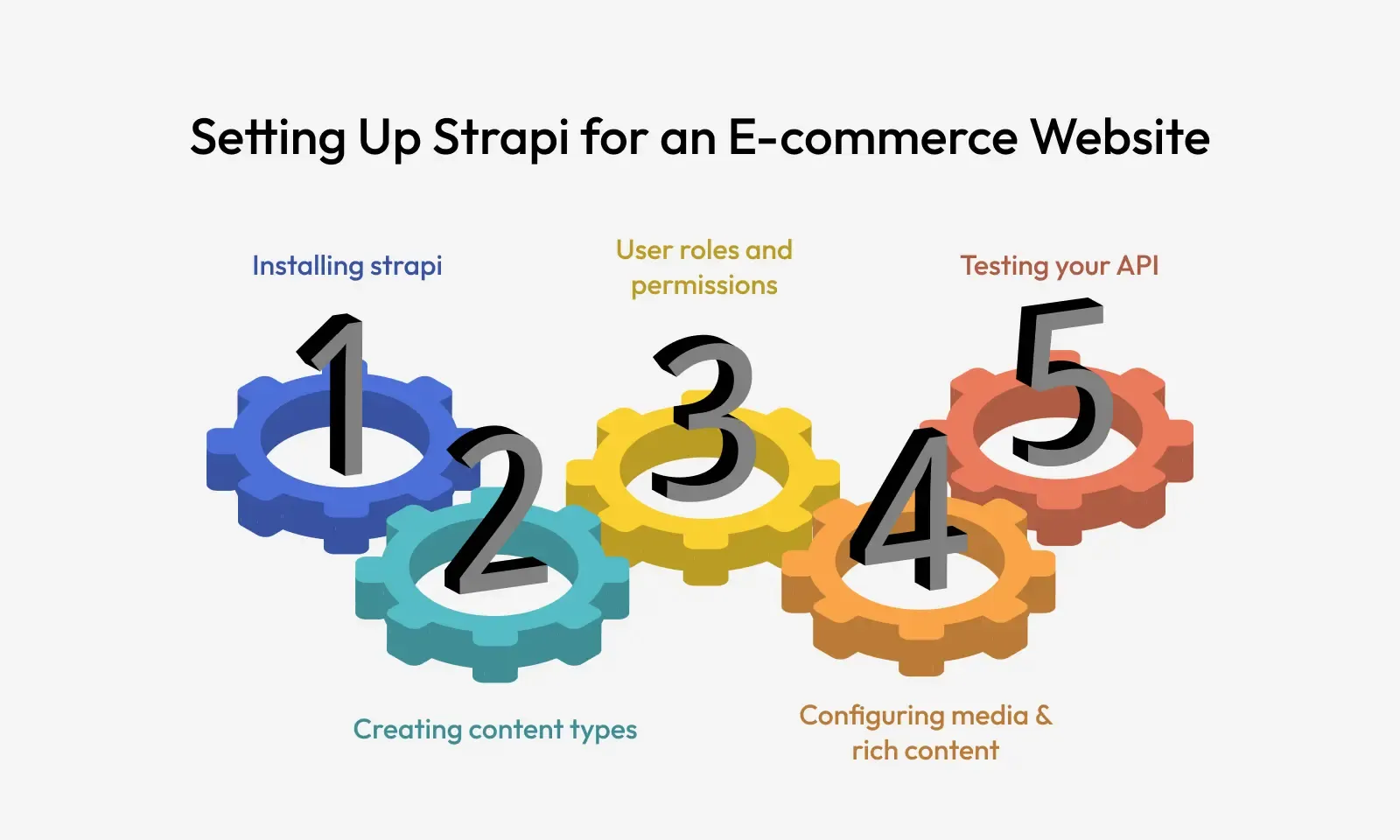
Step 1: Installing Strapi
Strapi can be installed locally for development or deployed to the cloud for production. Using the command, set up a fully functional Strapi project using SQLite as the default database. Once the server is up, you can access the admin panel at http://localhost:1337/admin. If you're working on a team or planning for production, consider switching to a more robust database like PostgreSQL or MySQL and deploying on platforms like Heroku or DigitalOcean.

Step 2: Creating content types
For e-commerce websites, you’ll need structured data models to handle various entities. Strapi’s Content Type Builder allows you to define these without writing any code. Here are essential content types for an online store:

  • Product
  • Category
  • Order
  • User

You can also add custom fields for features such as colour variants, sizes, or promotions.

Step 3: User roles and permissions
Strapi has a built-in user management system. In the admin panel, under Settings → Roles & Permissions, you can define access levels for:

  • Authenticated users (logged-in customers)
  • View products
  • Create orders
  • View order history
  • Public users (site visitors)
  • Browse products
  • View categories
  • Admin users (store team)
  • Full access to all content types

Assigning permissions carefully ensures your storefront is both secure and functional. You don’t want customers accessing internal order data or editing products.

Step 4: Configuring media & rich content
Strapi’s Media Library supports image uploads, alt text, and file metadata. This is ideal for uploading product galleries, banner images, and promotional content. You can use services like Cloudinary or AWS S3 for scalable media hosting via plugins. Also, Strapi supports Markdown and WYSIWYG editors, making it easier to write detailed product descriptions, size guides, FAQs, or blog content.

Step 5: Testing your API
Once your content types are created, Strapi instantly generates REST or GraphQL APIs that you can test at:

Integrating Strapi with frontend and backend

You can query products, categories, or even create new orders using frontend apps or tools like Postman. Once your Strapi backend is ready with product, category, and order schemas, the next step is connecting it with your e-commerce frontend. This is where Strapi’s headless architecture truly shines—it allows you to build your storefront using modern frontend frameworks and powerful backend services, while keeping content delivery smooth and API-driven.

Integrating strapi with frontend and backend

⇒ Frontend Integration: React, Next.js, or Vue.js
Strapi generates RESTful and GraphQL APIs automatically for all your content types. You can use these APIs with any frontend framework. Here’s a quick look at how integration works with popular frameworks:

  • Using React: React-based frontends can fetch product data using Axios or Fetch API.
  • Using Next.js: With Next.js, you can leverage Server-Side Rendering (SSR) or Static Site Generation (SSG) to boost performance and SEO.
  • Using Vue.js or Nuxt.js: Vue or Nuxt projects can fetch data via Axios, much like React. Nuxt also supports server-side data fetching and dynamic routing, which is helpful for SEO and product pages.

⇒ Backend Integration: Custom Features and Services
Beyond frontend rendering, Strapi also fits well into backend workflows. Here’s how to power core features:
- Product listings: Use /api/products endpoints to fetch dynamic listings, filters, or featured products. You can customize the API to support filters like price range, tags, or popularity using Strapi’s controllers or custom plugins.
- Checkout and cart: Strapi itself isn’t a payment engine, but it can manage cart states, promo codes, and checkout data. For processing payments, integrate with Stripe, PayPal, or Razorpay via frontend SDKs or separate serverless functions. You can use Strapi to:

  • Save order information
  • Record payment status
  • Track inventory post-purchase

- User Authentication: Strapi provides built-in JWT-based authentication for secure login, signup, and role-based access control. These endpoints let you manage customer accounts, track orders, or store delivery addresses. Endpoints like:

  • /auth/local for login
  • /auth/local/register for signup

⇒ Database options: PostgreSQL, MySQL, or MongoDB
Strapi supports multiple relational and NoSQL databases. For e-commerce, PostgreSQL or MySQL is recommended due to strong relational data handling. Update your database config in config/database.js to switch from SQLite to PostgreSQL.

With the frontend pulling real-time data from Strapi and the backend handling logic like checkout and authentication, you now have a dynamic, scalable foundation for your e-commerce store.

Managing content and products with Strapi

Once your e-commerce infrastructure is in place, the day-to-day success of your store largely depends on how efficiently you manage and update your content. With Strapi, managing product listings, images, promotional offers, and other dynamic content becomes a streamlined, code-free process empowering both developers and non-technical team members to contribute.

Managing content and products with strapi

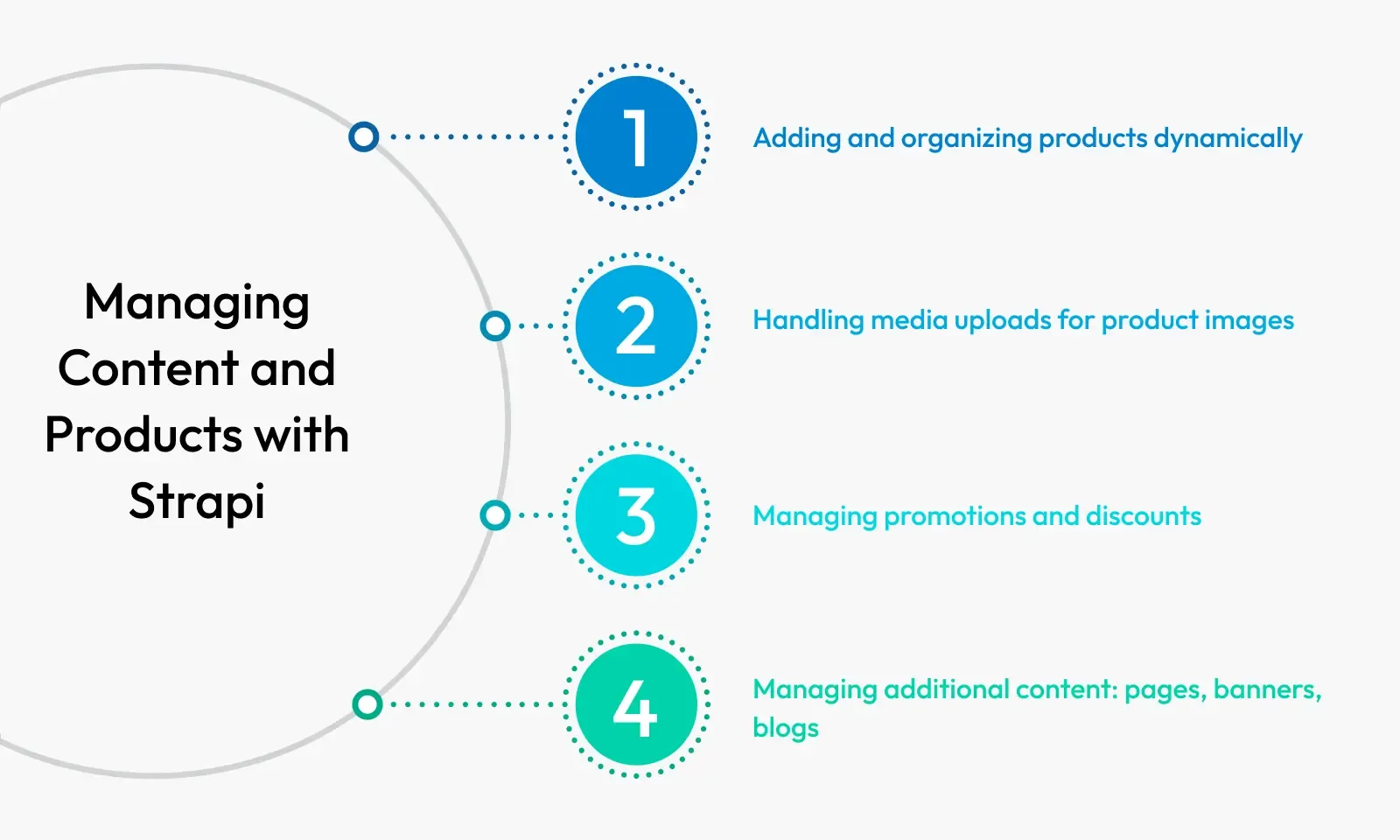
⇒ Adding and organizing products dynamically
Strapi’s admin panel allows you to create, edit, and organize products without developer assistance. You can:

  • Add product names, prices, and SKUs
  • Link products to categories via relational fields
  • Use boolean toggles to enable or disable stock availability
  • Schedule product availability with custom fields (e.g., release date)

Products can also be tagged for collections such as “New Arrivals,” “Best Sellers,” or “Clearance.” These tags make it easier to filter items on the frontend and guide buyers toward trending or relevant inventory. Strapi’s draft/publish workflow ensures that product data goes live only when you’re ready—perfect for teams managing seasonal updates or marketing campaigns.

⇒ Handling media uploads for product images
Visual appeal is crucial in e-commerce, and Strapi makes media management simple:

  • Upload high-quality product images in bulk
  • Set cover images and thumbnails
  • Add alt text for SEO and accessibility
  • Organize images in folders

For stores with large product catalogs, integrating a third-party media storage solution like Cloudinary or Amazon S3 using Strapi plugins ensures faster image delivery and better scalability.

⇒ Managing promotions and discounts
Running time-sensitive sales or limited-time promotions? Strapi lets you handle this directly via custom content types or additional fields within the product schema:

  • Add fields like “isOnSale,” “discountPercentage,” or “saleEndDate”
  • Create a Promotion content type to control banners and homepage deals
  • Schedule content using the publish date feature

You can also connect Strapi with marketing automation tools or a pricing engine through custom APIs to trigger discount updates based on events (e.g., cart abandonment, seasonal flash sales).

⇒ Managing additional content: Pages, banners, blogs
Beyond product content, e-commerce sites often need:

  • Static pages: About, Shipping Info, Returns Policy
  • Home banners and sliders: Update seasonal campaigns
  • Blog posts: Educate customers, improve SEO

Strapi handles all of this with ease through its customizable content types, enabling your marketing and content teams to make real-time changes. With Strapi, content management becomes a collaborative, real-time process that keeps your store fresh, relevant, and optimized for conversions.

Enhancing e-commerce functionality with plugins

Out of the box, Strapi provides robust content management features. But the real power lies in its plugin ecosystem, which lets you extend the platform’s functionality for e-commerce-specific needs like payments, SEO, and user management.

⇒ Payment gateway integrations
While Strapi doesn’t handle payment processing directly, you can integrate it with Stripe, PayPal, or Razorpay via APIs and custom logic. Here’s how:

  • Use frontend SDKs (like Stripe.js) to handle checkout securely.
  • Store transaction metadata in Strapi by creating custom webhooks or API endpoints.
  • Track orders, payment status, and inventory updates within Strapi’s order content type.

If you use platforms like Next.js or Nuxt.js, deploy serverless functions to act as bridges between the frontend and payment gateways, while Strapi handles order creation and status updates post-payment.

⇒ User authentication & role-based permissions
Strapi supports built-in JWT authentication, which means you can:

  • Enable user registration and login for customers
  • Manage password resets, email confirmations, and secure sessions
  • Define roles: Admin, Editor, Customer

Using the Users & Permissions plugin, you can restrict access to product editing, dashboard views, and even order histories. This is essential for separating team access (marketing, sales, logistics) in a growing e-commerce environment.

⇒ SEO and performance optimizations
For any e-commerce site, visibility is key. Strapi’s flexibility allows you to build SEO-friendly structures:

  • Add custom fields for meta titles, descriptions, canonical URLs, and alt tags
  • Control structured data (JSON-LD) via the frontend
  • Integrate with plugins for sitemap generation or social sharing previews

If you're using Next.js, combine Strapi’s structured content with SSR/SSG features to achieve lightning-fast load times and better indexing.

⇒ Other Useful Plugins

  • GraphQL: For powerful querying and frontend flexibility
  • Cloudinary / S3: Scalable media storage and delivery
  • Email plugin: For transactional emails like order confirmations

Plugins enhance your stack while keeping the backend manageable. Whether you need analytics, CRM syncing, or performance monitoring, Strapi can adapt.

Deploying your e-commerce website

Once your e-commerce platform is built and integrated, the final step is deploying it to a reliable hosting environment.

⇒ Hosting options

Strapi is Node.js-based, so it runs smoothly on many platforms:

  • Vercel or Netlify: For your frontend (e.g., Next.js)
  • Heroku: Great for quick Strapi deployment with PostgreSQL add-ons
  • DigitalOcean or AWS EC2: Better for high-traffic, production-grade scaling
  • Render or Railway: Simple and modern alternatives for fast deployment

You can even containerize your setup with Docker and orchestrate with Kubernetes for large-scale deployments.

⇒ Security Best Practices

Security is essential when handling transactions and customer data. Implement these:

  • Enable HTTPS across the frontend and backend
  • Use strong JWT secrets and environment variables
  • Implement rate limiting and request validation on custom endpoints
  • Regularly update Strapi and all dependencies
  • Store sensitive credentials securely (e.g., AWS keys, DB passwords)

Also, configure CORS and CSRF protection appropriately to secure APIs used across different domains.

⇒ Monitoring and analytics

To ensure your platform performs well and stays error-free:

  • Use Sentry or LogRocket for real-time error tracking
  • Integrate Google Analytics or Plausible for frontend user behaviour
  • Monitor server uptime with UptimeRobot or Pingdom

You can also build custom dashboards inside Strapi or connect it to BI tools via APIs to visualize order data, product performance, or customer trends. With the right deployment, you’re not just launching a store—you’re launching a scalable digital product ready for traffic, sales, and growth.

Conclusion

Strapi offers an incredibly powerful and flexible solution for developing modern e-commerce websites. As a headless CMS, it empowers teams to build tailored shopping experiences while maintaining complete control over data, structure, and presentation. From content modeling and API creation to secure authentication and custom plugins, Strapi simplifies complex tasks and allows rapid iteration. Its developer-friendly nature paired with a user-friendly admin interface makes it the perfect bridge between engineering and business teams. With frontend freedom, powerful integrations, and scalable deployment options, Strapi future-proofs your e-commerce stack. If you're planning to build or migrate your e-commerce website, Strapi is more than just a CMS it’s your content and commerce command center.

Frequently asked questions

1. Is Strapi a good choice for building an e-commerce website?
Yes, Strapi is a strong choice for e-commerce development, especially if you want full control over your backend. As a headless CMS, Strapi allows you to manage products, categories, and orders through a customizable admin panel while delivering content to any frontend framework like React, Next.js, or Vue. Its flexibility, API-first approach, and plugin support make it ideal for building scalable and secure e-commerce platforms.

2. Can I integrate payment gateways like Stripe or Razorpay with Strapi?
Absolutely. Strapi doesn’t process payments itself, but it works seamlessly with payment gateways such as Stripe, Razorpay, and PayPal. You can handle the payment on the frontend using SDKs and use Strapi to store order details, update payment statuses, and manage transactional workflows via custom APIs or webhooks.

3. What databases can I use with Strapi for my online store? Strapi supports multiple databases, including PostgreSQL, MySQL, SQLite, and MongoDB (through third-party community plugins). For production e-commerce websites, PostgreSQL or MySQL is recommended due to their robustness, support for relational data, and scalability.

4. Is Strapi secure enough for handling customer data in e-commerce?
Yes, Strapi includes security features like role-based access control, JWT authentication, CORS configuration, and data sanitization out of the box. When properly configured and hosted on a secure server (using HTTPS, environment variables, and secure headers), Strapi can safely manage sensitive customer and order data for e-commerce businesses.

5. How does Strapi compare to Shopify or WooCommerce for e-commerce?
Strapi is a developer-first, headless CMS offering maximum customization and flexibility. Unlike Shopify or WooCommerce, which are ready-made platforms with predefined structures, Strapi lets you build a tailored e-commerce experience with full control over the backend and frontend. It’s ideal for businesses needing custom flows, third-party integrations, or multi-channel commerce. However, it requires a development team, whereas Shopify and WooCommerce are more plug-and-play for non-technical users.

Evoqins - Blog

Subscribe and keep updated

Get weekly update about our product on your email, no spam guaranteed we promise ✌️